Terrain Painter
The Terrain Painter is a lightweight, scene-aware authoring tool for making local grass-map and color-map changes while viewing the actual Grassworks result. It is not a replacement for a full image editor.
Overview
Enable the painter with painter: { enabled: true }. It can paint two different maps, and each has its own mode in the panel:
| Mode | Paints | Available |
|---|---|---|
| Grass | The Grass Map: where grass grows and how tall | Always |
| Colour | The Color Map: the color of the grass | When colorMap is configured |
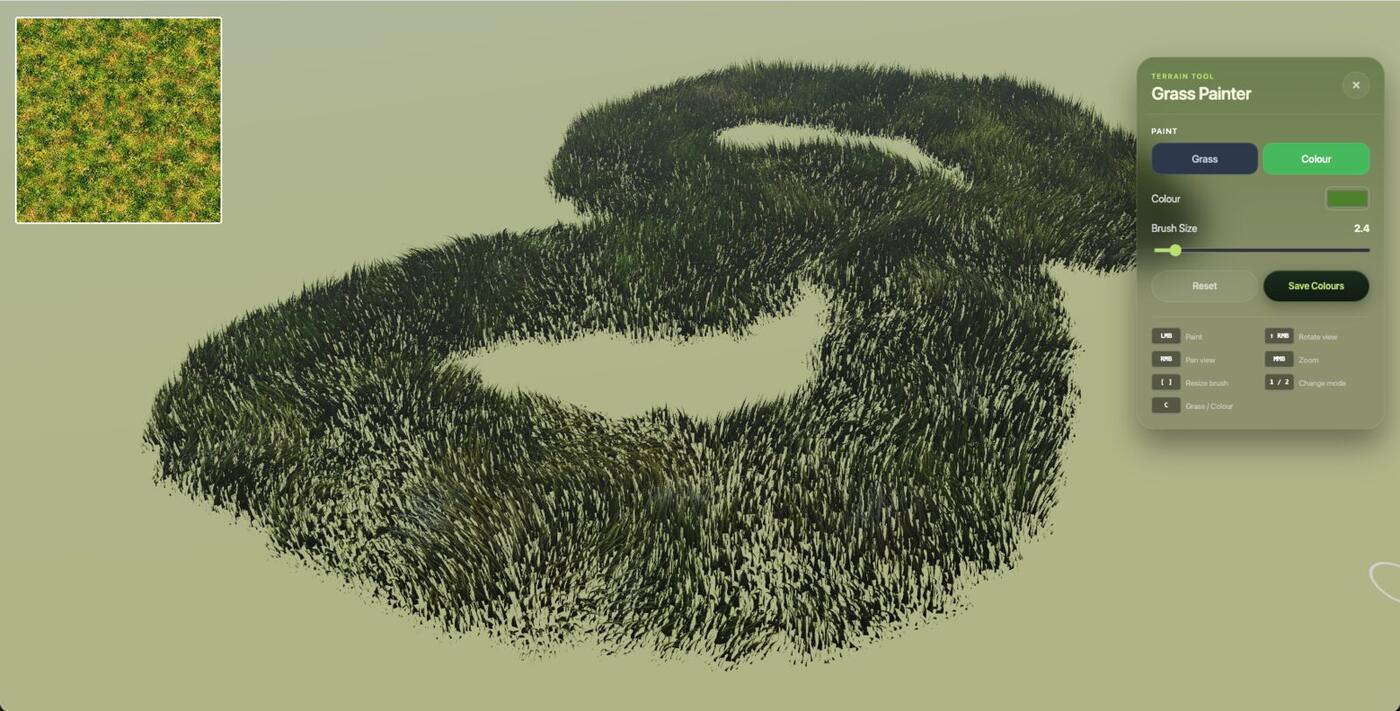
Switch modes with the Grass / Colour buttons in the panel or press C. The current map is shown in the top-left corner. Without a colorMap, the grass keeps its procedural colors and only Grass mode is available.
Controls and shortcuts
| Input | Action |
|---|---|
LMB | Paint |
RMB | Pan view |
Shift + RMB | Rotate view |
MMB | Zoom |
[ ] | Resize brush |
1 / 2 | Add / Erase (Grass mode) |
C | Switch between Grass and Colour mode |
8 | Save the grass mask |
9 | Save the color map |
Painting a Grass Map
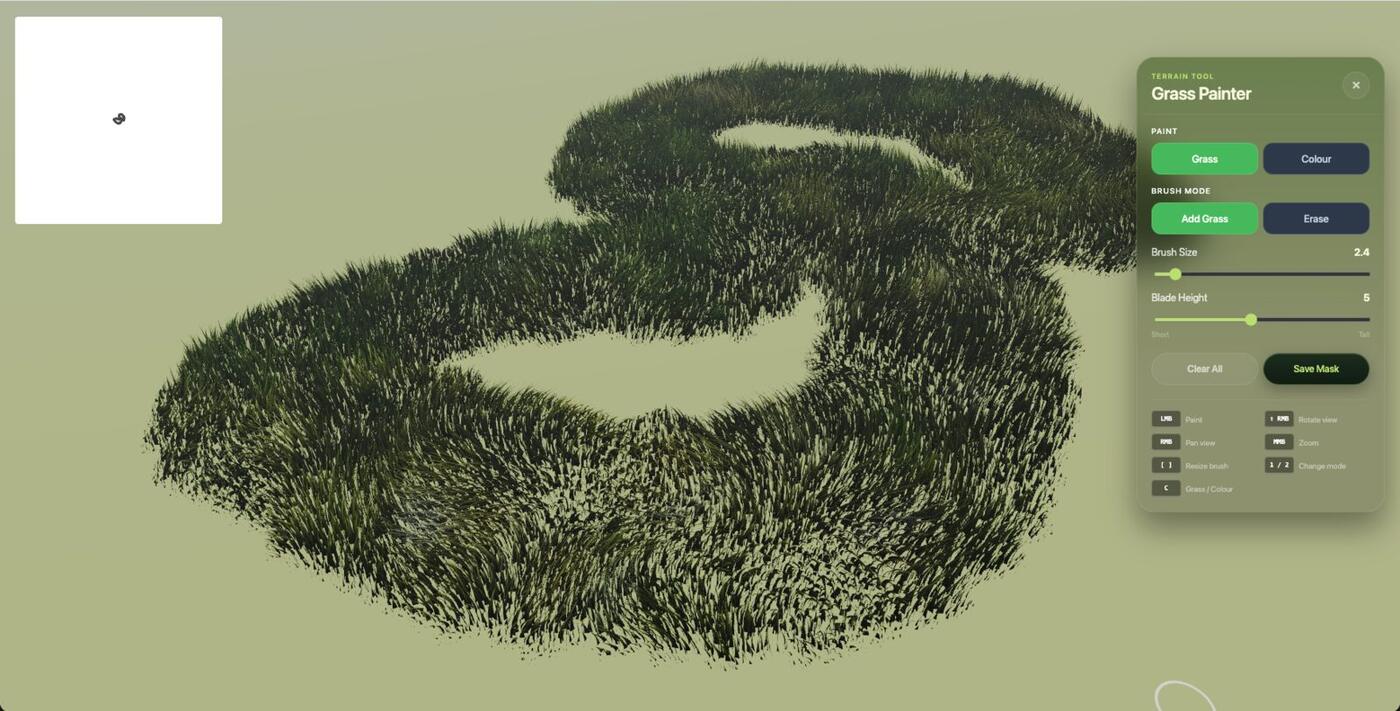
Grass mode paints the grass map: black is full-height grass, white is no grass and grays are in between.
Starting workflows
Blank
No grassMap + painter enabled. The painter starts empty and you paint grass into the terrain.
Refinement
Existing grassMap + painter enabled. The existing map becomes the starting canvas and you add or remove detail.
Controls
- Add Grass and Erase brush modes. Erasing restores white/no grass.
- Blade Height changes the painted grayscale value.
- Brush Size is adjustable in world-space units.
- There is no brush softness/falloff control.
- Clear All resets the grass map to white (no grass).
Saving
Click Save Mask (or press 8) to download the grass map, then use it as grassMap in your configuration.
Painting a Color Map
Colour mode paints the color map that colors the grass by terrain position. It requires colorMap in the configuration. See the Color Maps Guide.
Starting workflows
From scratch
colorMap: true + painter enabled. The field starts as the default green (#4a8f1e) and you paint colors over it.
Refinement
colorMap: "your-map.png" + painter enabled. The existing map becomes the starting canvas.
Controls
- Choose a color with the color picker and paint. Changes appear on the grass live.
- Brush Size is adjustable in world-space units.
- There is no erase in Colour mode.
- Reset fills the whole color map with the default green.
- The painter's color buffer is 1024 × 1024, so a loaded color map is resampled to that size.
Saving
Click Save Colours (or press 9) to download color-map.png, then use it as colorMap in your configuration.
Orientation and quality
These settings apply to both Grass and Colour painting.
flipU and flipV correct UV orientation when painting appears mirrored or reversed. Current defaults are flipU: false and flipV: true.
Painting quality selects a fixed LOD for the painting area: high, medium, low or veryLow. It does not use normal distance-based LOD switching while painting.