
Three.js Grass Maps: Control Grass Coverage and Height
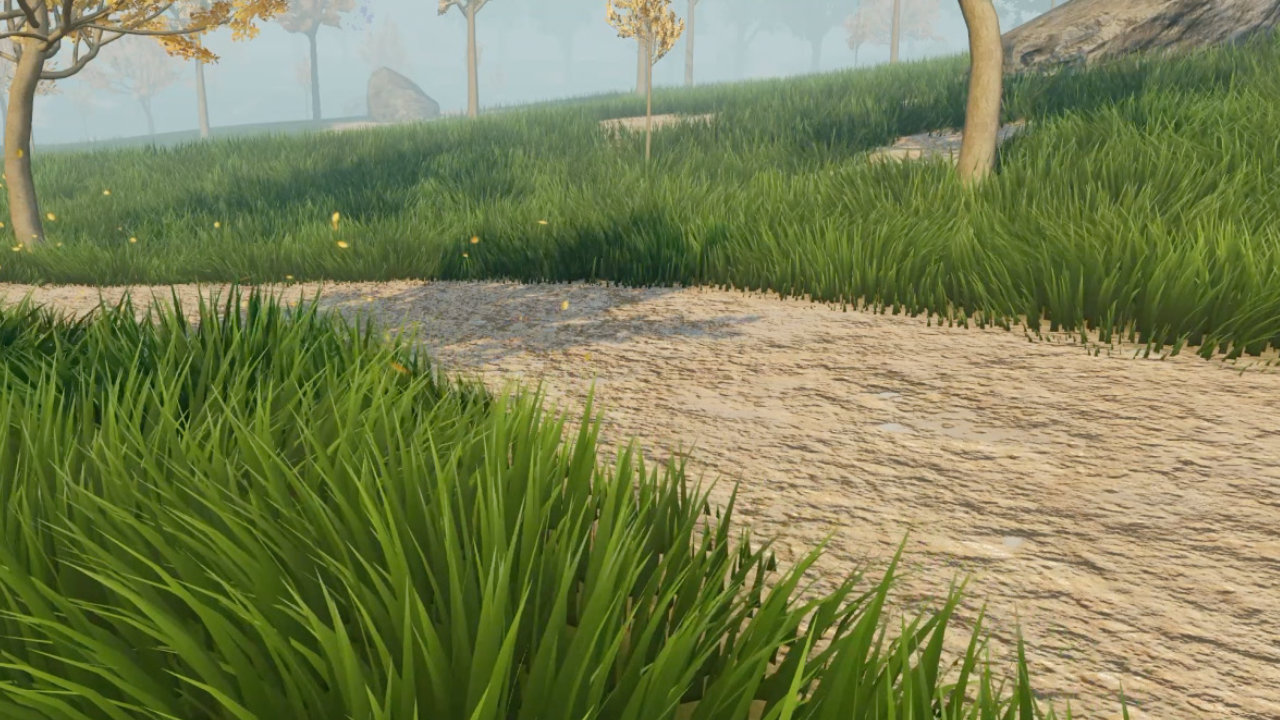
By this point, Three.js Grassworks had become a capable grass renderer. It supported both blade-based and billboard grass, customizable LODs, distance-based culling, and a tiled rendering system designed to handle large worlds. The performance was good, and developers had control over how the grass was rendered.
But there was still something missing. I could generate huge fields of grass, but I couldn't give developers enough artistic control over where that grass appeared.
In real environments, grass doesn't cover everything. It grows in patches, forms dense areas, and varies in height. Sometimes you want tall grass in one place and short grass just a few meters away. Other areas need to remain completely clear. Random placement alone isn't enough when you're trying to recreate a particular environment.
That became my next priority: finding a simple, flexible way to control the grass field itself.
When Random Grass Placement Isn't Enough
The problem wasn't the rendering system. The foundation was already there.
With blade-based and billboard grass, developers could choose the representation that suited their project. The LOD system reduced detail with distance, and distance-based culling helped avoid rendering grass that wasn't needed. The tiled architecture made it possible to scale the system across large environments.
However, these features controlled how the grass was rendered, not the artistic decisions about where it should grow.
Imagine creating a landscape with a thick patch of tall grass, a few areas with shorter grass, and some completely clear ground. You might want to create a lawn with carefully defined edges or a field where the grass grows in irregular patches. With random placement, you can vary individual blades, but you don't have direct control over the shape of the entire field.
I wanted to separate these two problems. Grassworks would continue handling rendering and performance, while developers would get a straightforward way to define the appearance of the grass across their environment.
Designing Grass Maps Around a Single Texture
When I started thinking about a solution, one requirement was particularly important: it needed to be easy to use without creating unnecessary dependencies.
I didn't want developers to manage ten different files just to create the grass distribution they wanted. I wanted a straightforward system that could cover a wide range of use cases with a single texture.
That led to Grass Maps.
The idea was simple. Instead of treating the texture only as an image, Grassworks would read information from it and use that information to control the grass. A developer could create a grass map in Photoshop or another image-editing application, then provide that single texture to the grass system.
The map would act as a set of instructions for the renderer.
How Grass Maps Control Coverage and Height
The grass map uses a black-and-white representation to define where grass appears. Black marks the areas where grass should grow, while white marks the areas where no grass should appear.
But I didn't want the map to be limited to a simple on-and-off switch. By interpreting the intermediate grayscale values, I could use the same texture to control grass height as well.
This means developers can use different shades between black and white to create variations in grass height. Instead of having the same height throughout every area where grass appears, they can create patches of tall grass, shorter grass, and different transitions between them.
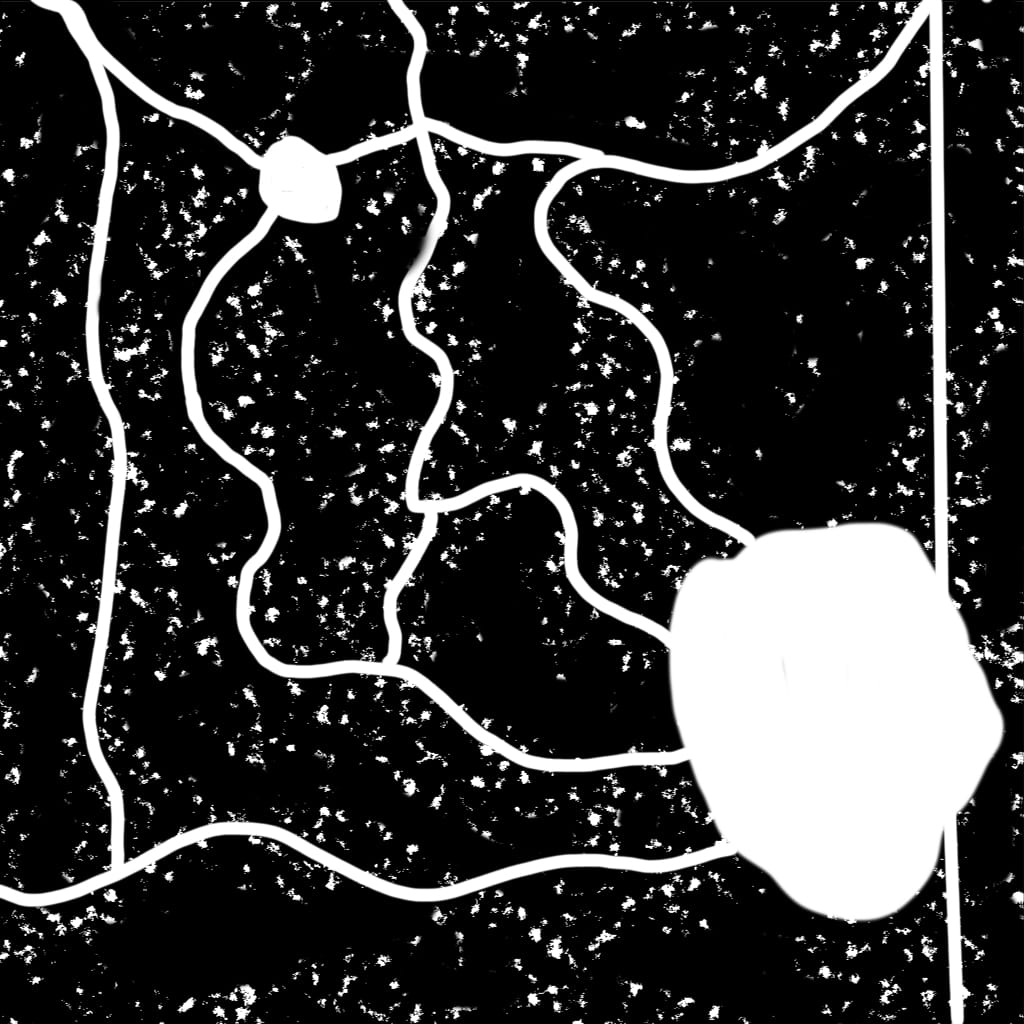
This made the system much more flexible than using a binary mask alone. Developers could paint broad areas, create irregular patches, leave holes, or introduce height variations wherever their environment called for them.
The important part was that all of this information could be encoded in one texture. Developers didn't need to maintain separate files for grass visibility and height variation.
Because the map is simply a texture, developers could create it with tools they already knew. They could paint shapes manually, use gradients, or generate patterns with noise in their image-editing workflow. They could then load the result into Grassworks without needing a separate authoring system for every environment.
Skipping Empty Tiles for Better Performance
Grass Maps also gave me another opportunity to improve performance.
Consider a large environment where grass covers only certain parts of the map. Some areas might contain large, completely empty spaces spanning multiple grass tiles. Rendering those empty tiles would be wasted work because they contain no grass to display.
I added a step during initialization to analyze the grass map and identify which tiles actually contained grass. The system could then record which tiles were completely empty.
When the player approached an area, Grassworks didn't need to render a tile that contained no grass. It could skip that tile entirely rather than spending resources on geometry that would never contribute anything to the scene.
Tiles with grass continued through the normal rendering process. Even if only part of a tile was covered, that tile remained eligible for rendering. Completely empty tiles, on the other hand, could be excluded.
The useful part was that the system didn't have to wait until the player reached an empty tile to discover that it contained no grass. It could identify those areas during initialization and reuse that information later.
Combined with the existing distance-based culling, LODs, and tiled rendering system, this gave Grassworks another way to avoid unnecessary work across large environments.
From Small Lawns to Huge Grass Fields
One thing I liked about this approach was how many different environments it could accommodate.
For a small lawn, a developer could create a simple map defining the areas where grass should appear. For a larger landscape, the map could describe broad patches, irregular boundaries, clearings, and changes in grass height across the environment.
The same underlying system could support both cases. Developers didn't need a different grass-placement workflow for every type of scene. They could create the map using tools they already had, load it into Grassworks, and let the renderer handle the grass itself.
I also liked that the idea wasn't limited to grass in principle. A texture encoding spatial information could be useful for other environment effects, such as defining where a road texture should appear. I kept the implementation in Grassworks focused on grass placement and height, but the underlying idea had plenty of other possible applications.
This was the kind of flexibility I wanted from the product. The rendering system provided the performance and visual representation, while the grass map gave developers control over the final result.
The Next Step: Painting Grass Inside Grassworks
Grass Maps solved an important problem. Developers could control where grass appeared and how its height varied, while the renderer could skip tiles that didn't contain any grass.
But the workflow still had one inconvenience. To create or edit the map, developers needed to use an external application and then load the resulting texture into Grassworks.
That worked, but I wanted to make the process more convenient. If developers were already working with the grass system, why should they have to leave it just to adjust a patch of grass?
I started thinking about a small, native authoring tool that would let users create and edit their grass maps directly inside Grassworks.
That became the next step in the development journey: bringing grass-map painting into the tool itself.